6.5. Instruction
| Fields/Buttons | Description |
|---|---|
| Text Area | Displays the created instruction and allows users to modify it. |
| Version History Icon | Manages and displays different versions of the instruction. |
| Cancel Button | Cancels the instruction version history process and closes the version history view. |
| Restore This Version | Restores the selected instruction version. |
| Cross (×) Button | Cancels the instruction version history process and closes the version history view. |
Table: Available Icons and Buttons in Instruction Settings
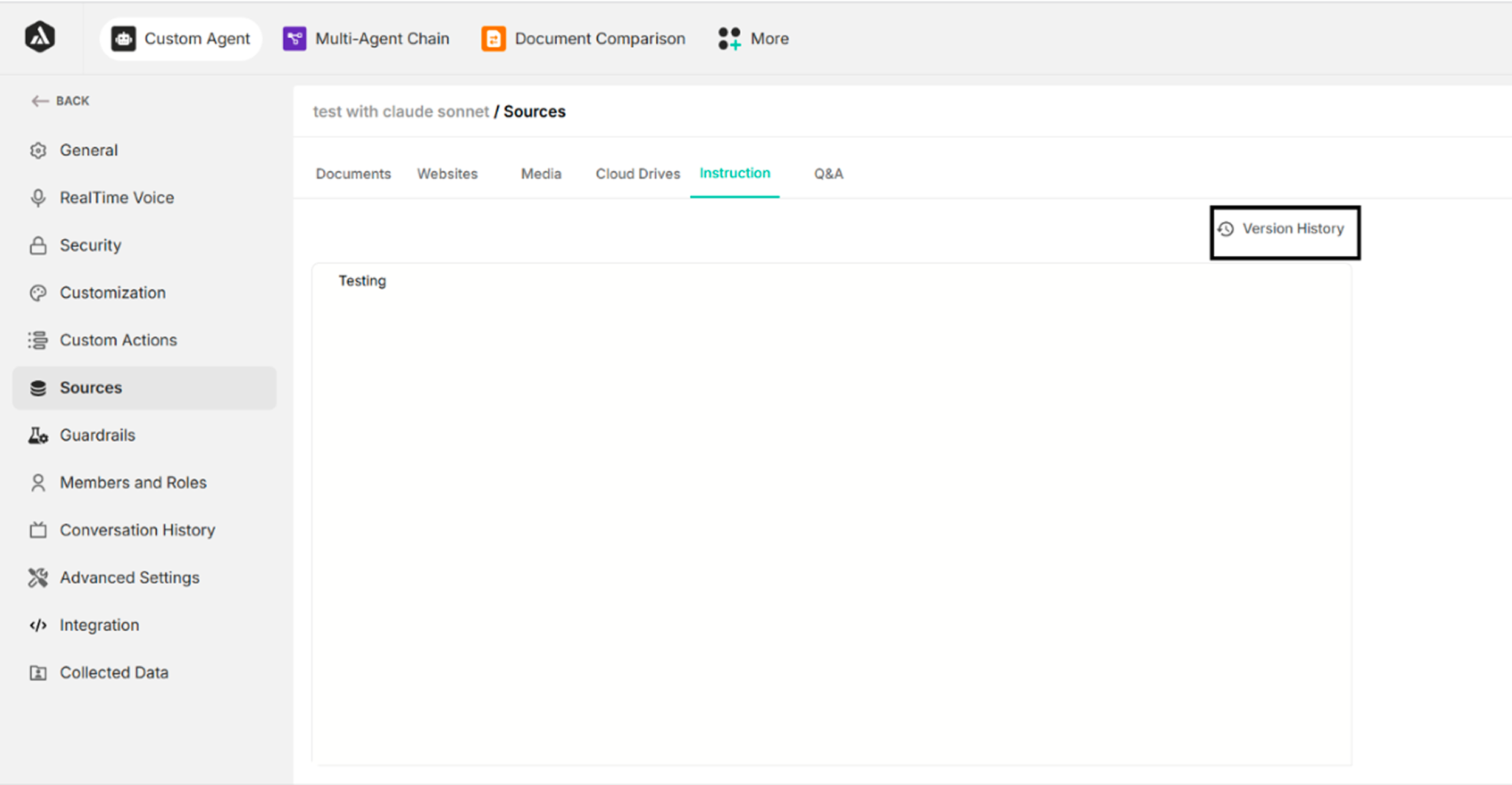
Figure: Instruction section of sources settings
Clicking the Version History icon displays the instruction version history popup.
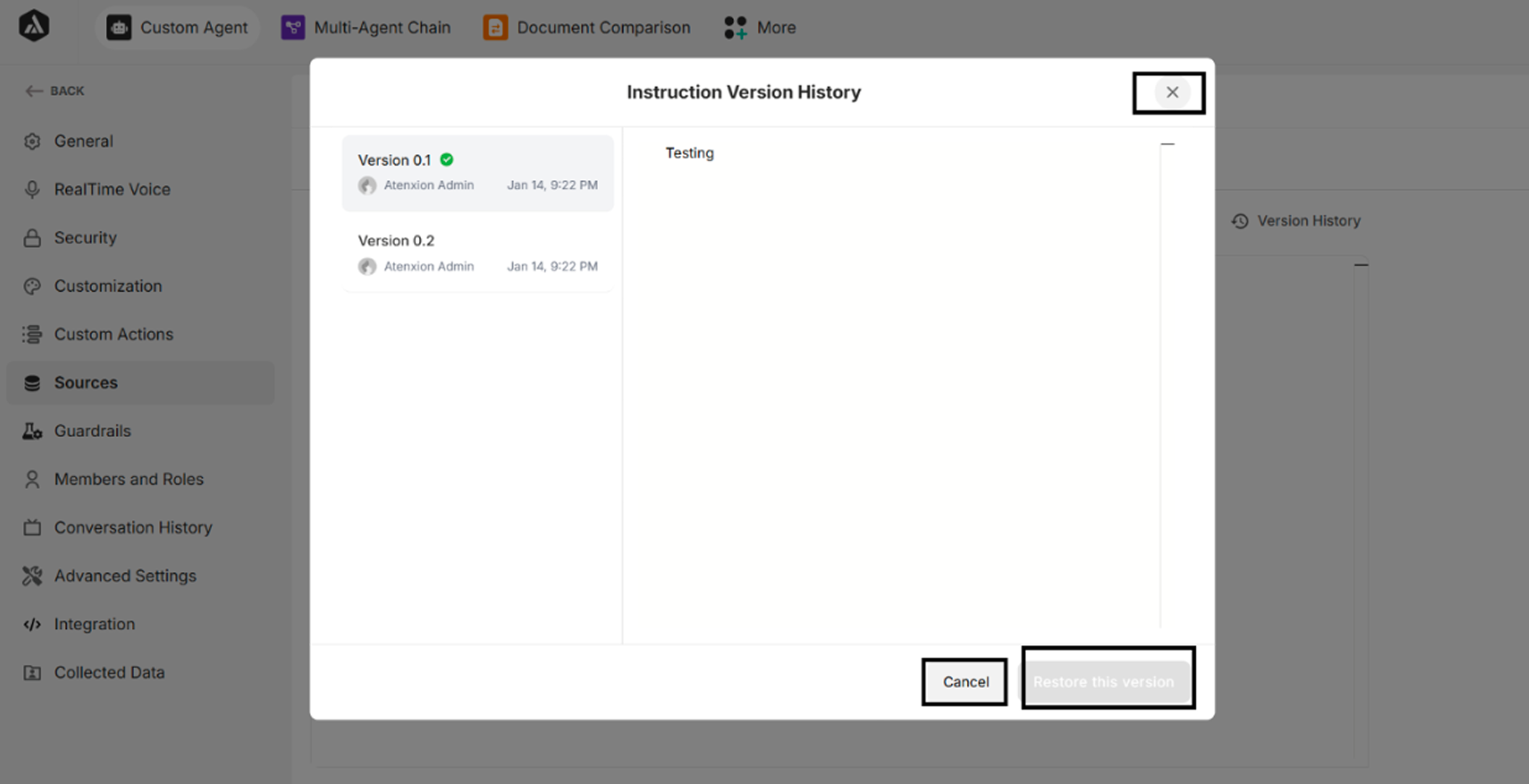
Figure: Instruction version history popup